Micro Deposit Verification, Explained
How to Pay for Online Advertising: Cards, Limits and Declines
Author:
Aaron Klein
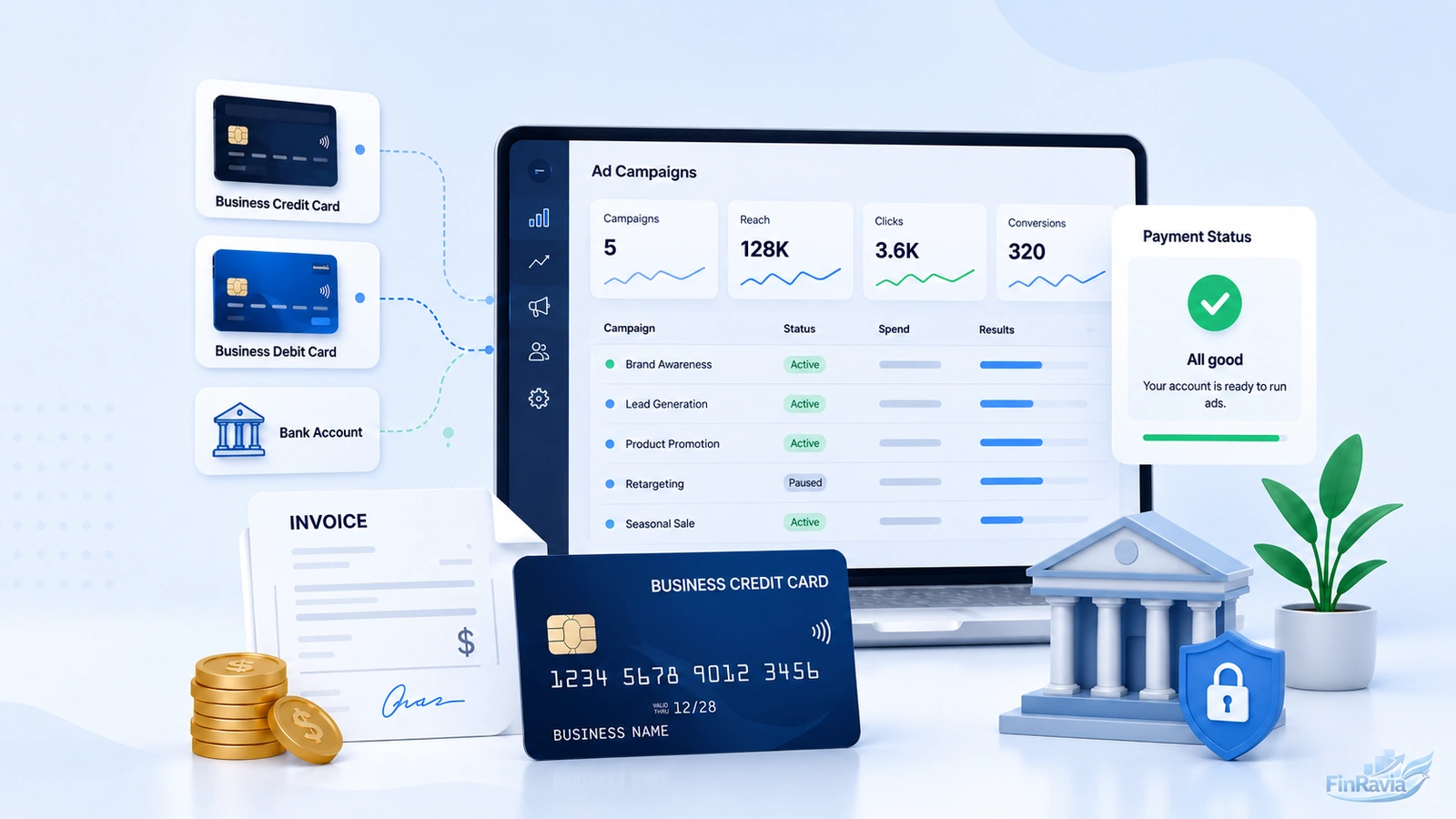
Advertisers pay ad platforms through a payment method tied to the account, while the card issuer or bank approves or declines each charge. That method can be a credit card, debit card, bank account, ACH debit, prepaid balance or monthly invoice. The sensitive point is whether your billing setup, card limit and payment threshold clear the charge before ad delivery stops.
Contents
- Paid ads vs ad payments: what this guide covers
- How online advertising costs are calculated before you pay
- What payment methods online advertising platforms accept
- How Google Ads, Meta Ads, TikTok Ads and other platforms bill advertisers
- Why ad payments get declined
- How card limits affect advertising campaigns
- Fees, rewards and promotional credits advertisers should check
- How businesses can control monthly ad spend?
- Choosing the right ad platform before committing payment spend
- Payment checklist before launching or scaling campaigns
- What to do if your ad payment fails?
- Records, receipts and accounting for advertising expenses
- Common mistakes that stop ad payments or waste ad spend
- Bottom line choose the payment setup before campaigns depend on it
- Sources
Direct answer:
-
The core online advertising payment methods are cards, bank debit, prepaid balance and invoice billing.
-
Use a credit card for ad spend when the credit limit, billing ZIP and recurring charge approval match expected charges.
-
Use a debit card for ad spend only when the bank balance and daily purchase limit cover the next billing threshold.
-
If an ad payment failed or an ad payment declined leaves an unpaid balance, ad delivery can pause until the payment issue is fixed.
Paid ads vs ad payments: what this guide covers
Paid advertising uses bids, sponsorships or paid placements to put an ad campaign in front of an audience across search, display, social and video channels. This guide looks at the other side of that transaction. It explains how the advertiser pays the bill after the platform records spend.
The distinction matters for your budget. A campaign cost can come from clicks, impressions or a sponsored placement, but the paid ads payment method is the account, card or invoice that clears the charge.
| Term | Meaning |
|---|---|
| Paid advertising | Paid placement through bids, auctions or sponsorship |
| Ad cost | How the platform calculates spend |
| Payment method | How the business pays the bill |
| Billing trigger | When the platform charges |
Advertiser-side payments are not publisher monetization
A publisher earns ad revenue when website ads run through an ad network, while an advertiser pays a platform or publisher to place those ads. These are opposite sides of online advertising. For a website owner, ad monetization can depend on clicks, views or fixed placement fees. For your business, the key question is different. You need to know which payment method funds the campaign and what happens if that charge fails.
| User type | Query meaning | Covered here? |
| Business advertiser | Wants to pay for campaigns | ☑️ Yes |
| Publisher/blogger | Wants to earn from ads | ❌ No |
| Creator | Wants YouTube/Twitch ad revenue | ❌ No |
How online advertising costs are calculated before you pay
CPC charges the advertiser for each click, CPM charges by impressions, and a fixed amount charges for a defined placement or time period. These pricing models create the paid advertising cost. They do not pay the balance.
This is the part many businesses mix up. A platform can calculate ad spend through an auction, a bid or a flat sponsorship fee, then charge your card, bank account or invoice later. The pricing model explains the campaign cost. The payment method settles it.
| Pricing model | What creates the cost | Payment method still needed? |
| CPC / PPC | Clicks | ☑️ Yes |
| CPM | Impressions | ☑️ Yes |
| CPV | Video views | ☑️ Yes |
| Flat fee / sponsorship | Fixed placement or time period | ☑️ Yes |
| Monthly invoice | Billing arrangement, not campaign pricing | ☑️ Yes |
Ad cost, campaign budget, billing threshold and card limit are different
A campaign budget controls ad delivery, while a billing threshold controls when the platform charges your payment method. A card limit then decides whether that transaction clears.
For a business, this separation is not a minor detail. You can set a monthly budget, reach a payment threshold, and still see a failed charge because available credit, available balance or a transaction limit is too low.
| Concept | User question it answers |
| Ad cost | How much are ads costing? |
| Campaign budget | How much can the campaign spend? |
| Billing threshold | When will the platform charge me? |
| Payment method | What will be charged? |
| Card/bank limit | Will the charge go through? |
What payment methods online advertising platforms accept
Advertising platforms accept cards, bank debit, prepaid balances and invoice billing, but each platform ties those ad payment methods to billing country, currency and account settings. Your ad account also needs a working billing setup before spend can move through the system.
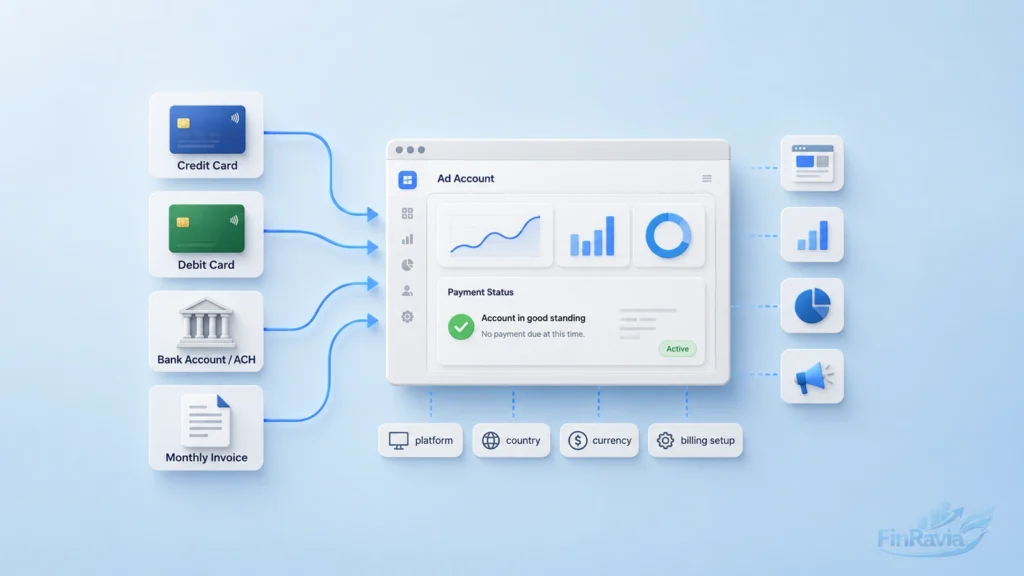
The practical detail is not just whether you can pay ads with credit card or pay ads with bank account. The payment settings, amount due, default payment method and billing section decide when money is collected and what happens if the charge fails.
| Platform | Common payment paths to cover | Financial issue to explain |
|---|---|---|
| Google Ads | Card, bank account or direct debit, manual or automatic payment, monthly invoicing | Threshold charges, payment setup, invoice eligibility |
| Meta Ads | Card, PayPal, direct debit where available, manual payment or prepaid balance, monthly invoicing | Amount due, payment threshold, billing date |
| TikTok Ads | Manual payment, automatic payment, monthly invoicing | Billing threshold, verification, failed payments |
| LinkedIn Ads | Card, invoicing for eligible accounts | Billing admin, threshold billing |
| Microsoft Advertising | Prepay, postpay threshold, monthly invoice | Account hold, invoice payment |
Credit cards and debit cards for ad spend
A credit card uses available credit for ad spend, while a debit card pulls from the bank balance connected to the card. The same ad platform can charge either card manually or automatically, depending on the billing setup. A credit card for ad spend gives cash flow room and can earn rewards or cashback. The pressure point is the credit limit. A debit card for ad spend gives tighter cash control, but the available balance and daily purchase limit decide whether the next recurring charge clears.
| Card type | Useful for | Main risk |
|---|---|---|
| Credit card | Cash flow, rewards, recurring billing | Credit limit, fraud block, interest |
| Debit card | Cash control, no revolving debt | Balance shortage, daily purchase limit |
| Business card | Expense separation | Limit may still be too low |
Bank account, ACH and direct debit
A bank account funds direct debit, and ACH debit bypasses the card network entirely. This can fit higher ad spend, cleaner reconciliation and monthly invoicing workflows where card declines create too much friction.
The sensitive part is cash timing. Bank authorization still matters, and the business checking account must hold enough available balance when the platform pulls funds.
Before using bank debit for ad spend:
- Confirm the correct business checking account is connected
- Keep a cash flow buffer above the next expected charge
- Check bank authorization for ACH payment for ads
- Reconcile platform charges against monthly statements
Manual payments, prepaid balances and automatic payments
Manual payment adds funds before or when a balance is due, while automatic payment charges the selected payment method after ad spend reaches a threshold or bill date. A prepaid balance funds delivery until the balance runs down.
Meta adds a useful operational clue here. If an ad account shows an amount due, the user can make a payment. If no amount due appears, the payment cannot be made from that screen. When the payment threshold or monthly billing date arrives, the platform can trigger an automatic charge.
| Billing setup | How it works | Main financial risk |
|---|---|---|
| Manual or prepaid | Add funds before or when due | Ads can stop when balance runs out |
| Automatic payment | Platform charges at threshold or date | Card or bank charge can decline |
| Monthly invoicing | Business pays invoice later | Credit terms, overdue invoice, account hold |
Monthly invoicing and credit lines for larger advertisers
A platform extends a credit line when it approves monthly invoicing, and the advertiser receives a monthly invoice instead of many card charges. Google Ads monthly invoicing, Meta ads monthly invoicing and similar invoice billing paths serve businesses that need consolidated billing and cleaner accounting. Invoice billing reduces card friction, but it shifts the risk. The credit limit, payment terms and due date now matter more than the card network. An overdue balance can lead to account hold or restricted delivery.
| Payment setup | Best use | Main control point |
|---|---|---|
| Card payment | Faster setup and smaller spend | Card limit and fraud checks |
| Bank debit | Larger recurring payments | Available cash and authorization |
| Monthly invoice | Consolidated ad spend monthly invoice | Credit line, due date and account standing |
How Google Ads, Meta Ads, TikTok Ads and other platforms bill advertisers
Google Ads, Meta Ads and TikTok Ads bill advertisers through account-level billing settings, where the payment method, billing date and payment threshold decide when money leaves the business.
The same monthly budget can create different cash pressure across platforms. A search campaign, a video campaign and a social campaign do not spend in the same rhythm. That is why Google Ads billing, Meta Ads billing, TikTok Ads billing and LinkedIn Ads billing need to be reviewed as finance workflows, not just ad settings.
| Platform | Billing logic to watch | Finance issue |
|---|---|---|
| Google Ads | Campaign type, budget, payment setup, offer terms | Spend pattern and threshold charges |
| Meta Ads | Amount due, threshold, monthly billing date | Manual payment and receipt tracking |
| TikTok Ads | Manual, automatic or invoice billing | Verification and failed payment risk |
| LinkedIn Ads | Card billing or invoicing | Billing admin and threshold billing |
| Microsoft Advertising | Prepay, postpay threshold or invoice | Account hold and invoice payment |
Google Ads campaign types, goals, offers and payment setup
Google Ads includes Search, Performance Max, Display, Shopping, Video and App campaigns, and each campaign type can create a different spend pattern for the same monthly budget.
For payment planning, the useful point is simple. Google Ads campaigns start with a goal and a budget, then payment setup connects that spend to the account. A sign-up offer or ad credit can offset ad cost under offer terms, but it does not replace a valid payment method.
Google Ads campaign types to treat as separate spend patterns:
- Search ads
- Performance Max
- Display ads
- Demand Gen
- Shopping ads
- Video ads
- App ads
Promotional ad credit is not the same as a payment method. Your account still needs billing setup before the platform can apply an offer or charge future spend.
Meta Ads amount due, payment threshold, billing date and receipt
A Meta ad account requires an ad account admin and a default payment method before the user can pay an amount due from payment settings.
This operational detail matters when cash flow is tight. If an amount due exists, the user can click Pay and select a payment method. If no amount due appears, that payment cannot be made from that screen. Meta also charges through an automatic charge when the payment threshold is reached or the monthly billing date arrives.
After a Meta ads payment clears, the account update can appear within 5 minutes. Existing ads can resume delivery, and the payment receipt appears in the Billing section and goes to the email address on the ad account.
| Meta payment state | What it means |
|---|---|
| Amount due exists | User can click Pay |
| No amount due | Payment cannot be made |
| Payment threshold reached | Meta auto-charges |
| Monthly billing date arrives | Meta auto-charges |
| Payment completed | Ads can resume and receipt appears |
TikTok Ads, LinkedIn Ads and Microsoft Advertising billing concepts to check
TikTok Ads can use manual payment, automatic payment or invoice billing, while LinkedIn Ads requires the right billing admin for payment setup and Microsoft Advertising uses prepay, postpay threshold or monthly invoice concepts.
The finance check is narrow and practical. You need to know which user controls billing, which payment method is active, when the billing threshold hits and what happens after a TikTok Ads payment failed notice, a LinkedIn card issue or a Microsoft account hold.
Track these items before spend increases:
- Supported TikTok Ads payment methods for the billing country and currency
- Billing admin access for LinkedIn Ads billing
- Prepay, postpay threshold or monthly invoice status in Microsoft Advertising
- Backup payment method for each ad account
- Invoice availability and failed-payment consequences
Why ad payments get declined
A bank or card issuer declines an ad transaction when the charge fails its data, funds, limit or security checks. The platform then records an ad payment failed event, and an unpaid balance can restrict delivery or leave the advertising account with a payment issue.
The problem appears when the business sees only the platform warning and misses the financial cause behind it. An online ad payment declined message can point to a simple expired card, but it can also come from insufficient available credit, a bank restriction, an unsupported payment method or failed 3D Secure verification.
| Decline category | Examples | First check |
|---|---|---|
| Card data | Expired card, wrong CVV, ZIP mismatch | Update card details |
| Funds or credit | Low balance, low available credit | Check balance or credit |
| Limits | Daily limit, single transaction limit | Ask bank or issuer |
| Security | Fraud block, 3D Secure fail | Approve with issuer |
| Platform setup | Unsupported method, no default method | Add valid payment method |
Card or bank problems
The card issuer controls authorization, so a credit card declined for advertising does not mean the ad platform rejected your business. The issuer can block the charge before the platform receives the money.
Common financial-side causes include:
- Insufficient funds ad payment on a debit card
- Card declined because of credit limit or low available credit
- Bank declined ad payment after fraud prevention review
- Daily transaction limit or single charge limit
- Recurring, internet or international transaction block
- Available balance too low when the automatic charge hits
Platform or account problems
An ad account requires a valid default payment method, and the user role controls access to payment settings. If the billing admin is missing or the payment method is not supported, the account can show an ad account payment failed issue even when the card itself works elsewhere.
The account-side checklist is direct:
- Confirm admin or billing access
- Add a default payment method
- Check whether an amount due exists
- Review any account hold or restriction
- Check invoice status and overdue balance
- Replace a payment method disabled by the platform
Browser, verification and security problems
3D Secure authenticates the cardholder before the platform completes the charge. A payment verification failed ads message can appear before money leaves the account.
This layer is narrower, but it matters. VPN use, a pop-up blocker, browser cache, weak network connection or interrupted card verification can stop the authentication step. When that happens, the unsuccessful payment is not a budget issue. It is a verification break in the payment flow.
Check these items before changing the campaign:
- Complete 3D Secure payment ads verification
- Turn off VPN during payment authentication
- Allow bank or issuer pop-ups
- Retry from a clean browser session
How card limits affect advertising campaigns
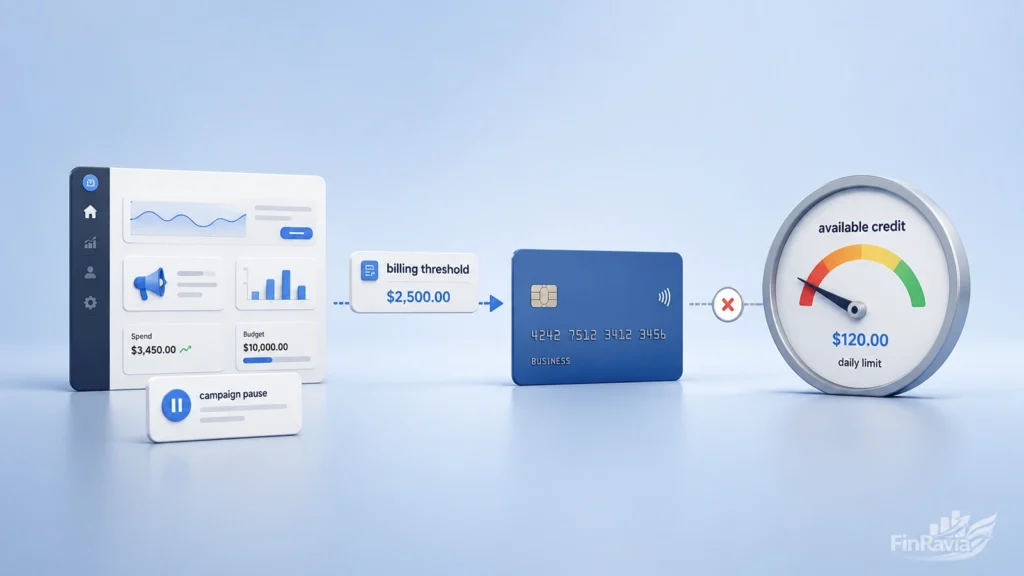
A billing threshold can create one larger platform charge, and a card limit for ad spend can block that charge even when the campaign still has monthly budget left.
This is the financial trap behind many stopped campaigns. The ad platform sees approved campaign spending, then sends a charge to the card or bank account. If the advertising spend card limit, available credit or available balance is lower than the charge, the transaction fails and delivery can pause.
| Scenario | Why it matters |
|---|---|
| Threshold charge exceeds available credit | Credit card declines |
| Debit card daily limit is lower than charge | Bank declines debit |
| Multiple platforms bill same week | Cash-flow stress |
| Campaign scales faster than expected | More frequent charges |
| Large first campaign plus new card | Fraud or risk block can appear |
Credit limit vs billing threshold
Available credit must exceed the expected threshold charge, not just the average daily campaign spending. A payment threshold can turn many small clicks or impressions into one larger card transaction.
📌 If your platform charges $1,000 at a billing threshold and the card has $650 in available credit, the payment can decline. The credit card limit for ads is the weaker point, even though the campaign setup and audience targeting are not the cause.
Debit card daily limits and cash balance
A debit card pulls available cash from the checking account, and the daily purchase limit restricts the size of the charge. That means a debit card limit for online ads can stop a valid ad bill.
Before automatic billing dates, check:
- Available balance after payroll, rent and vendor payments
- Debit card daily limit for ads and other purchases
- Next platform billing date or threshold
- Backup payment method for insufficient funds ad payment
No preset spending limit does not mean unlimited ad spend
The issuer still evaluates payment history, credit profile, purchase behavior and the size of the transaction — the same signals machine learning credit scoring models are built to weigh.
⚠️ A high limit card for advertising spend can still decline if the issuer sees an unusual charge pattern. No preset spending limit ad spend should be treated as flexible capacity, not an open credit line without controls.
Fees, rewards and promotional credits advertisers should check
A card issuer may charge fees on ad payments, while a rewards program can cap or exclude the same spend from earning full value. This is why ad spend credit card fees, rewards and credits need to be read together, not as separate perks.
The math can change fast. A foreign transaction fee adds cost. Interest on a carried statement balance can erase cashback on ad spend. A promotional ad credit can reduce future campaign charges, but it can also require payment setup, minimum spend and offer eligibility before the credit applies.
| Item to check | Why it matters |
|---|---|
| Foreign transaction fee | Can add cost |
| Rewards category | May or may not count ad spend |
| Rewards cap | Large ad spend may exceed cap |
| Interest | Carrying balance can erase rewards |
| Promotional credit | Usually requires terms and payment setup |
Credit card rewards for ad spend
A card rewards program defines eligible purchases, so ad spend earns points or cashback only when the category qualifies under the card terms. Business card rewards advertising can include search engine ads or social media ads on some products, but caps and exclusions decide the real value.
The useful question is not just whether the card pays rewards. It is whether credit card rewards for ad spend still hold after annual caps, statement balance interest and category rules.
Promotional ad credits are not a substitute for billing setup
An advertiser completes payment setup before an offer can connect to an ad account, and the offer requires minimum spend before the ad credit offsets future costs. Google Ads ad credit and similar sign-up offer mechanics reduce campaign charges after conditions are met. They do not replace a valid payment method.
⚠️ Promotional credit can help with a first campaign, but it is not cash in the account. The platform still needs billing setup, offer eligibility, required spend and active payment details before the credit has value.
How businesses can control monthly ad spend?
A business controls monthly ad spend by setting campaign budgets on the platform, keeping card and bank limits above expected charges, and reconciling invoices against statements each month.
The platform controls delivery through a daily budget, lifetime budget, budget cap or account spending limit. The card issuer controls whether the charge clears. Your accounting process then confirms whether the ad spend matched the campaign record, payment receipt and bank or card statement.
Monthly ad spend control checklist:
- Set a monthly ad spend limit before the campaign starts
- Match the budget cap to available credit or bank balance
- Add a backup payment method
- Turn on card alerts for large or repeated charges
- Export invoices and receipts for reconciliation
- Assign a cost center when several teams or clients use one account
Platform controls budgets thresholds and account limits
A campaign budget limits ad delivery, while a payment threshold triggers billing after spend accumulates. These controls reduce overspend risk, but they do not guarantee payment success if the card or bank method fails.
Before the billing date, check:
- Daily budget and lifetime budget
- Account spending limit or ad account limit
- Payment threshold and next expected charge
- Campaign objective and budget adjustment after results
- Monthly budget against actual platform charges
Financial controls cards alerts backup methods and reconciliation
A backup payment method reduces campaign interruption risk, while invoice export supports accounting and statement reconciliation. This is where business spending controls advertising spend more than campaign settings do.
Use a separate business card for ads, or a virtual card for ad spend when account separation matters. Card alerts catch repeated charges early. A bank buffer protects ACH or debit pulls. Monthly ad spend reconciliation ties platform receipts to the card statement, invoice export and tax records.
Budget expectations before scaling paid ads
Testing budget can produce no short-term return, and scaling increases payment pressure before acquisition cost improves. That is the uncomfortable cash-flow side of paid ads budget planning.
Anecdotal advertiser discussions mention $20 to $50 per day for small test activity and around $1,000 per month as a starting spend in some cases. Competitors in active categories can spend thousands per day.
⚠️ These figures are user-experience signals, not universal benchmarks. Before scaling, prepare ad spend cash flow for charges that arrive before revenue, leads or payback.
Choosing the right ad platform before committing payment spend
A B2B advertiser targets decision-makers, so platform fit should be settled before payment spend starts. Google Search ads capture active demand, LinkedIn Ads target professional attributes, and Meta Ads Manager fits paid social ads when the audience and campaign objective are clear.
For B2B financial services, the payment question starts before the first charge. Funding the wrong platform can drain the budget while the card, bank account or invoice still records real ad spend. Lead generation should be the primary KPI, not subscriber growth or casual engagement.
| Platform path | Stronger fit when | Payment concern |
|---|---|---|
| Google Search ads | Buyers already search for the service | Clicks can create fast spend |
| LinkedIn Ads | You need decision-makers and professional targeting | Higher B2B costs need tighter limits |
| Meta Ads Manager | Paid social audience and offer are clear | Testing can create repeated charges |
Paid audience is not the same as current followers
Campaign Manager defines the target audience, so a paid campaign audience can differ from current followers, LinkedIn subscribers or an old subscriber base. This matters when the existing audience does not match the buyer profile.
📌 A weak follower base does not automatically make paid targeting weak. The point is whether the platform lets you define the target audience with enough precision for the campaign objective.
Meta Ads Manager, Business Suite and boosting payment risk context
Meta Ads Manager provides more control than simple boosting because it gives better targeting capabilities, draft campaign work and cleaner paid social testing. That control matters before money moves.
A boost post can waste budget when the cold viewer journey is unclear. Meta Business Suite and Instagram boosting can look simpler, but the payment risk is the same. The platform still charges the selected payment method.
| Question | If yes | If no |
|---|---|---|
| Did the post work organically? | Test carefully | Do not boost |
| Is the next step clear? | Add CTA or landing path | Rework first |
| Is targeting understood? | Launch controlled test | Use drafts first |
Payment checklist before launching or scaling campaigns
An advertiser verifies the payment method, while the business checks card and bank limits before a campaign depends on automatic billing. This ad payment checklist catches the weak points that lead to failed charges after spend starts.
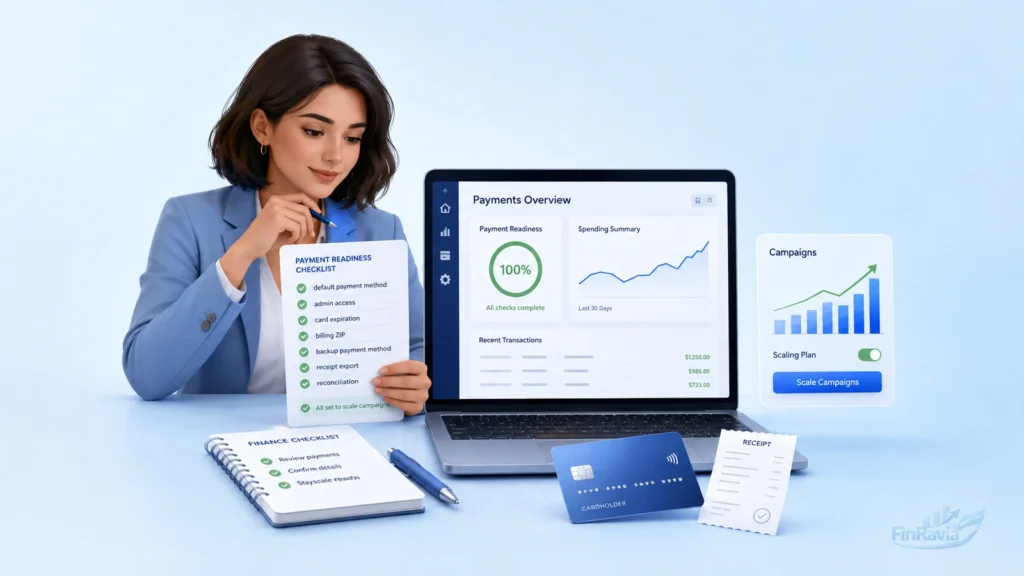
Before you pay for online ads at higher volume, treat the ad account billing setup as part of launch readiness. A default payment method, admin access, available credit and clean receipt trail matter as much as the monthly budget:
- Confirm account admin or billing access.
- Add a default payment method.
- Check card expiration, CVV and billing ZIP.
- Compare card limit, available credit and daily debit limit with the next expected charge.
- Confirm recurring, internet and international transactions are allowed.
- Add a backup payment method to prevent payment issues.
- Review billing threshold and bill date.
- Keep bank or card buffer above the expected charge.
- Export payment receipt, invoices and billing records monthly.
- Reconcile card or bank charges to each ad platform.
📌 A backup payment method does not replace good cash planning. It only gives the platform another valid way to collect payment when the primary card, bank account or invoice path fails.
What to do if your ad payment fails?
An advertiser checks the decline reason first, then updates the payment method, bank approval or account billing details before retrying the charge. This order helps fix ad payment failed issues without changing the campaign itself.
A Google Ads payment failed, Meta ads payment declined or TikTok Ads payment declined warning can point to the same financial problem. The card data can be wrong, the account can show amount due, the bank can block the transaction, or the platform can place the account on hold until payment clears.
Use this recovery checklist:
- Read the billing error in payment settings.
- Check whether there is amount due.
- Confirm card number, expiration, CVV and billing ZIP.
- Check balance, available credit and transaction limits.
- Contact the issuer or bank if the charge was blocked.
- Add payment method if the current one is expired, unsupported or disabled.
- Retry payment after the funding or authorization issue is fixed.
- Confirm receipt, account status and ad delivery.
⚠️ Retrying the same declined card without fixing the reason can create repeated failed attempts. Check the card, bank and billing setup first, then retry payment once the weak point is corrected.
When a payment succeeds, what should happen next?
A payment receipt confirms the charge, and existing ads may resume after the account update. On Meta, the update can appear within up to 5 minutes, receipts appear in the Billing section and receipt email is sent to the ad account email.
| After payment | What to check |
|---|---|
| Receipt | Billing section and email |
| Existing ads | Delivery status |
| New ads | Creation allowed |
| Account | Holds or restrictions removed |
Records, receipts and accounting for advertising expenses
A receipt documents each advertising expense payment, an invoice supports accounting, and the card or bank statement reconciles the ad charge. This is where ad spend becomes a business expense, not just a campaign number inside the platform.
Keep the record trail narrow and complete. The billing section or email receipt shows what the platform charged. The statement shows what left the card or bank account. The invoice helps accounting classify the cost as a marketing expense, assign a cost center and support tax records.
For ad spend reconciliation, keep these records:
- Payment receipt from the platform
- Advertising invoice payment record
- Card or bank statement line
- Campaign ID and ad account name
- Billing section export
- Email receipt from the platform
- Cost center or client code
- Monthly accounting file for track advertising expenses
Common mistakes that stop ad payments or waste ad spend
A missing payment method can stop an ad account, a low card limit can cause a decline, and an unclear campaign path can waste budget before any useful lead appears.
The costly part is that these mistakes look different inside the platform. One business sees a failed payment ad account warning. Another sees card declined for ads. A third keeps paying for boosted posts without a clear next step for a cold viewer. In each case, the issue starts before the charge or click happens.
| Mistake | What it can cause | Fix |
|---|---|---|
| No default payment method | Account issue or unpaid balance | Add valid payment method |
| No backup method | Campaign interruption | Add backup card or bank path |
| Low credit limit | Declined threshold charge | Raise limit or lower spend |
| Expired card | Failed automatic payment | Update card details |
| Wrong billing admin | No payment access | Assign billing role |
| Ignored threshold charges | Cash-flow surprise | Track billing date and threshold |
| Boosting posts without next step | boost post waste money | Define CTA and landing path |
| Scaling before limit increase | ad payment mistake | Match card capacity to spend |
| No monthly reconciliation | Unclear ad expense trail | Export invoices and receipts |
⚠️ Payment controls do not fix a weak offer or unclear viewer path. They prevent payment issues, but spend still needs a defined purpose before the platform starts charging.
Bottom line choose the payment setup before campaigns depend on it
A business should choose ad spend payment methods before campaigns depend on billing, because payment readiness decides whether the platform can collect charges without stopping delivery.
To pay for online advertising with fewer interruptions, connect the right payment method, understand the billing threshold and compare expected charges with card limits or bank account balance. Add a backup method before scaling business ad spend. Keep receipts, invoices and statements in one monthly file. Then review declined payments, monthly spend control and invoice terms before the next campaign depends on the same setup.
Final payment checks:
- Match payment method to campaign size
- Keep card limit above expected charges
- Add backup card, bank account or invoice path
- Export receipts and reconcile monthly
Sources
- Google Ads Help — about payment settings in Google Ads
- Google Ads Help — automatic payments and billing thresholds
- Meta Business Help Center — how Meta charges for ads
- Meta Business Help Center — fix a failed payment issue on Meta
- TikTok Ads Manager — supported payment methods
- LinkedIn Help — billing frequency and thresholds for LinkedIn Ads
- FTC — when a company declines your credit or debit card
Frequently asked questions
Can you pay for online ads with a credit card?
Many ad platforms accept card payment, and a credit card for ad spend uses available credit. The business should match the billing threshold, recurring billing and fraud check to the card limit.
Can you pay for online ads with a debit card?
A debit card for ad spend pulls from the checking balance, and the bank daily limit controls charge size. If an automatic charge hits with low available funds, the payment can fail.
Should businesses use a credit card debit card or bank account for ad spend?
Credit cards support cash flow and rewards, debit cards enforce cash control, and bank debit reduces card-limit pressure. The right choice depends on spend size, buffer, reconciliation and platform support.
Why was my ad payment declined?
A bank or issuer declines an ad payment failed transaction when funds, card data, limits or verification fail. Check insufficient funds, credit limit, ZIP, expired card, 3D Secure and platform billing error.
Can card limits stop advertising campaigns?
A card limit for ad spend can stop delivery when the automatic charge exceeds available credit, debit balance or transaction limits. If the platform cannot collect the balance, campaigns can pause.
What is a billing threshold?
A billing threshold is the spend amount that triggers an automatic charge before the regular bill date. The ad account keeps spending until costs reach that payment threshold.
What happens if a Meta ad payment succeeds?
Meta payment receipt confirms the charge, and existing ads can resume after the account update. The receipt appears in the Billing section and by email, and Meta notes updates can take up to 5 minutes.
Do promotional ad credits replace a payment method?
A promotional credit offsets future ad costs under offer terms, but it does not replace payment setup. The advertiser still needs a valid payment method, account setup and required spend.
Are paid ads guaranteed to work?
Paid advertising does not guarantee results. Campaign performance depends on audience, offer, creative quality, measurement and budget, so ad effectiveness needs testing before larger spend.